
Remote repair authorization is a recorded customer approval that lets a shop begin specific diagnostics or repairs, and it should clearly list the estimate, scope, price limit, and a timestamped confirmation of your consent. That last part is what actually protects you. A friendly phone call where you say "sure, go ahead" is not the same as a signed or timestamped digital record tied to a job number, and the difference matters the day something on the bill doesn't match what you thought you agreed to.
Before you approve anything remotely, run through this short checklist:
- Confirm you're looking at the current estimate version, not an outdated one from an earlier call.
- Check the exact dollar amount or spending threshold you're authorizing, not a vague "we'll take care of it."
- Make sure the approval method, whether a signature, a portal button, or a recorded phone confirmation, is actually documented somewhere you can retrieve later.
- Get the job number and keep the receipt or confirmation email.
- If a remote diagnostic session is involved, know that legitimate sessions are "attended." You start it, you approve it, and you can end it whenever you want.
That last point trips people up more than anything else. A shop or technician asking to "remote in" to your vehicle's system or your account isn't automatically a red flag, but it should always be something you initiate and can shut off instantly.
Key Takeaways
Remote repair authorization protects you only when it captures the exact estimate version, the approved amount, a timestamp, and an explicit approval action tied to a job record.
| Point | Details |
|---|---|
| Demand an explicit approval action | A signature, portal click, or recorded confirmation beats a passive "okay" on the phone every time. |
| Know the stop-work rule | Shops should pause and send a revised estimate before exceeding your originally approved amount. |
| Treat remote sessions as attended | You initiate, watch, and can end any remote diagnostic session at any moment. |
| Keep your records | Save the signed authorization and final invoice for as long as any warranty or insurance claim is active. |
| Dent-boys documents the full chain | Photo-backed estimates, itemized scope, and a lifetime warranty stay attached to your job record from approval through completion. |
Table of Contents
- How Remote Repair Authorization Works, Step by Step
- What Does the Digital Approval Process Actually Look Like?
- What Do State Laws Require for Repair Estimates and Authorization?
- What Fields Should a Repair Authorization Form Include?
- How Do Remote Diagnostic Sessions Protect Your Privacy?
- What Happens If Repair Costs Change Mid-Job?
- Does Insurance Authorization Work Differently?
- Before, During, and After: A Practical Authorization Checklist
- What Should a Sample Authorization Template Include?
- How Does This Work in Paintless Dent Repair Specifically?
- Why Clear Authorization Records Protect Everyone
- Get a Contactless Estimate Without the Guesswork
- Where to Verify This Yourself
- Frequently Asked Questions
- Sources
How Remote Repair Authorization Works, Step by Step
At its core, remote repair authorization works the same way whether you're approving a $200 diagnostic or a $2,000 collision job: a shop documents what it wants to do, you review it, and your approval gets logged against that specific version of the estimate. The mechanics differ depending on whether the shop uses a portal, email, or phone, but the underlying requirement doesn't change. Someone has to be able to point to a record later and say, "here's exactly what was approved, by whom, and when."
Understanding repair authorization starts with recognizing there isn't just one flavor of consent. Shops generally rely on written, electronic, or oral authorization, and each carries different weight if a dispute ever comes up.
Written authorization usually means a paper work order or a printed estimate that you physically sign. It's old-fashioned, but it's rock solid as evidence because there's a tangible document with your signature on it.
Electronic authorization covers portal approvals, e-signatures, and click-to-approve buttons tied to a specific estimate version. Done right, this is arguably the strongest form of consent today because the system automatically logs a timestamp, the exact amount shown to you, and the action you took. According to guidance on how a repair authorization app works, these systems centralize job records, approval status, photos, and estimate versions so staff can only dispatch technicians on work that's actually been approved.
Oral authorization is the loosest of the three. A phone call where you verbally approve extra work can be legally sufficient in many cases, but it's the hardest to prove later unless the shop records the call or immediately follows up with a written or electronic confirmation.
| Authorization Type | How It's Recorded | Evidentiary Strength |
|---|---|---|
| Written | Signed paper work order or printed estimate | Strong; physical signature is hard to dispute |
| Electronic | Portal click, e-signature, or approval button tied to a timestamped estimate version | Strong; automatically logs time, amount, and signer |
| Oral | Recorded phone call or verbal "yes" during a conversation | Weak on its own; needs written or electronic follow-up |
A shop repairing a fender bender might get a detailed signed work order in person. A shop handling a routine oil change add-on might just send an emailed approval link. A mobile technician diagnosing a check-engine light over the phone might rely on recorded verbal consent, then text a confirmation afterward to shore up the record. None of these are wrong, but some hold up better than others if a $600 line item suddenly shows up that you don't remember agreeing to.
What Does the Digital Approval Process Actually Look Like?
Most shops that offer remote or digital authorization follow a fairly consistent sequence, whether they're fixing a transmission or handling paintless dent repair. Understanding this flow helps you spot when something's being skipped.
- The shop creates a job record. Your vehicle, contact information, and the reported issue get logged into their system.
- They prepare an itemized estimate and version it. Good systems number every estimate revision so nobody's confused about which version is current.
- They send you the authorization request. This might arrive as an email link, a text with a portal URL, or a phone call.
- You review the details. A well-designed portal shows the total cost, a line-item breakdown, and the specific estimate version number.
- You approve with a clear action. This means clicking an "approve" button, typing your name into a signature field, or verbally confirming on a recorded line.
- The shop logs and attaches the approval to the job. The timestamp, signer's name, and approved amount get stored so the record survives even if the person who took your call leaves the company next week.
That same general sequence, downloading or opening a client, generating an identifier, sharing it, and then approving before any action happens, shows up across remote support workflows generally, not just auto repair. A step-by-step breakdown of secure remote support describes almost the identical pattern: the user watches the process happen and holds the ability to disconnect at any point.
When you're the one approving, look for a few specific signals on your screen: a visible total dollar amount, an estimate version number, an actual "approve" button rather than a passive "click to view," and a timestamp that gets generated the moment you act. If any of those are missing, ask the shop to add them before you tap anything.
Pro Tip: Screenshot the approval screen the second you confirm it, before you close the tab or hang up. Then call or text the shop to confirm the job number and the exact spending limit you just authorized. This takes thirty seconds and gives you a second, independent record that matches theirs.
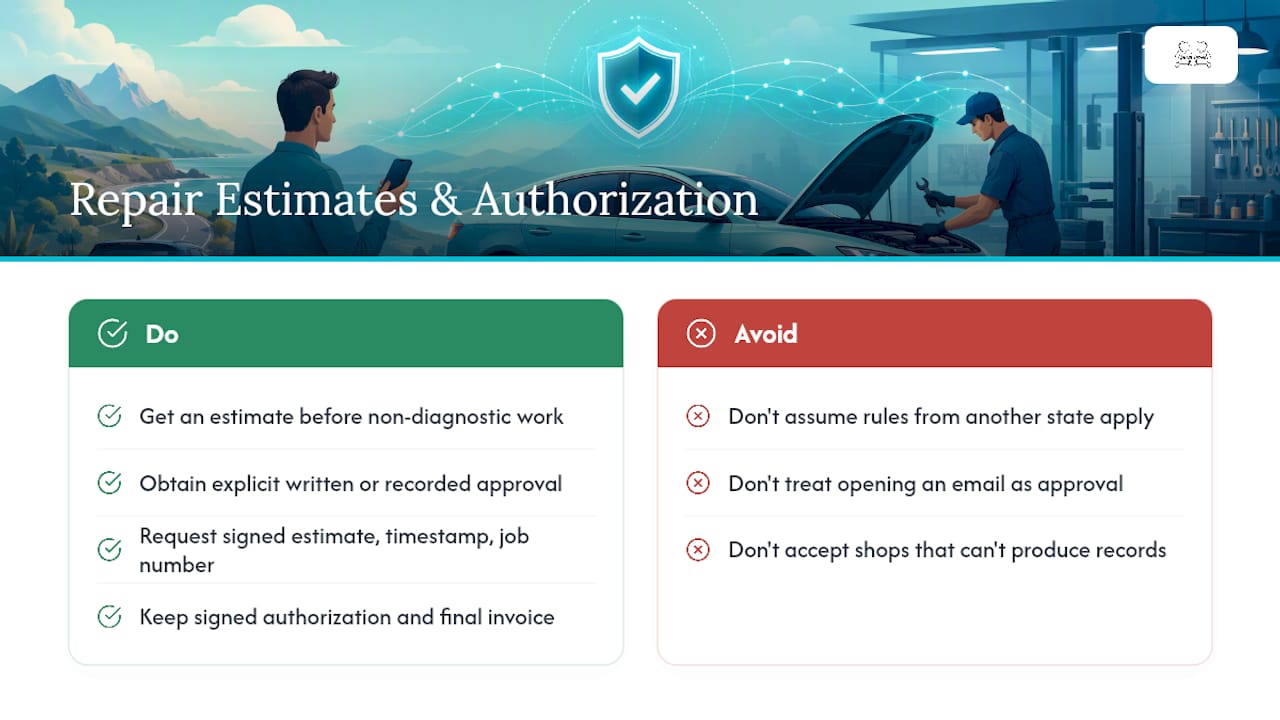
What Do State Laws Require for Repair Estimates and Authorization?
Every state has some version of a repair act or consumer protection statute that governs how shops handle estimates and consent, though the exact thresholds and formats vary by state. The common thread across most of them: a shop generally has to give you an estimate before starting non-diagnostic work and get your consent for anything beyond the initial inspection. Some states require that estimate to be written or recorded once the projected cost crosses a certain dollar threshold, though the specific number differs by jurisdiction. Given that variation, it's worth checking your state's consumer protection or automotive repair guidance directly if you're dealing with a large or disputed bill, rather than assuming the rule you read about elsewhere applies where you live.
A defensible authorization record, regardless of which state you're in, tends to include the same handful of elements: the estimate version the customer actually saw, the dollar amount they approved, who signed or confirmed it, a timestamp, and where that record is stored and attached to the job file. As one source on repair authorization software puts it, passive acts like opening an email are not the same as an explicit approval action like clicking a button or signing a field, and that distinction is exactly what regulators and courts look at when a dispute lands in front of them.
On the recordkeeping side, most consumer advocates recommend keeping your signed authorization and final invoice for at least as long as any applicable warranty runs, and longer if the repair involves an insurance claim or a vehicle you plan to sell. If you ever need proof of what you approved, ask the shop for a copy of the signed estimate, the approval timestamp, and the job number tied to it. A shop that can't produce all three quickly is a shop with a weaker paper trail than it should have.
What Fields Should a Repair Authorization Form Include?
A thorough authorization form isn't complicated, but it should hit every one of these points before you sign or click approve:
- Customer name and contact information
- Vehicle identification (VIN or license plate)
- A unique job number
- Itemized scope of work, broken down by parts and labor
- Total cost with a visible breakdown, not just a lump sum
- The estimate version number
- An expiration date on the estimate (prices on parts can shift)
- Warranty terms tied to the specific repair
- A signature or approval field with a timestamp
Beyond the basic fields, the clause language matters just as much. A form should spell out a spending threshold clearly, something like "authorize replacement parts and labor up to $450," rather than leaving the ceiling open-ended. It should include stop-work language stating the shop will pause and seek new approval if costs exceed that threshold. And if insurance is involved, it needs a direction-to-pay or authorize-to-bill clause specifying who the shop invoices and who remains responsible for any gap.
| Form Element | Vague Version | Clear Version |
|---|---|---|
| Spending limit | "Repairs as needed" | "Authorize labor and parts up to $450" |
| Scope | "Fix the issue" | "Diagnostic only" or "Replace part X, labor included" |
| Stop-work trigger | Not mentioned | "Work pauses if cost exceeds approved amount; new approval required" |
The difference between "authorize diagnostic only" and "authorize replacement parts up to $X" is the difference between a $60 inspection and a $600 surprise. Read that checkbox before you tap it.
How Do Remote Diagnostic Sessions Protect Your Privacy?
Remote diagnostic access, where a technician connects to your vehicle's onboard system or a shop's software remotely, follows the same security principles used across the broader remote support industry. The mechanics are worth understanding because they explain why a properly run session is safer than it sounds.
A legitimate session is "attended," meaning it requires you to generate or approve a session code, watch a visible session window the entire time, and retains the ability for you to disconnect instantly. According to a breakdown of how remote IT support sessions typically run, these connections use encrypted tunnels and last anywhere from thirty minutes to two hours, with access ending the moment the session window closes.
Here's what to insist on before letting anyone connect remotely to a device or system tied to your vehicle:
- Use only reputable, named remote-access tools that the shop can identify by name if asked.
- Watch the screen the entire time; don't walk away or multitask during the session.
- Never speak an admin password aloud over the phone. Type it yourself when prompted.
- Uninstall the remote access client once the session ends, rather than leaving it installed "just in case."
- Confirm the company's phone number independently before the session, especially if they contacted you first.
Vehicle systems accessed through Android-based infotainment or diagnostic apps carry a specific wrinkle. A walkthrough of remote Android repair explains that many sessions combine a temporary screen-sharing client with ADB (Android Debug Bridge) for lower-level access. After that kind of session, disable developer options and USB debugging if they were turned on for the repair, since leaving them active creates an easy re-entry point without your knowledge.
Pro Tip: If a technician ever asks for a permission or access level you didn't expect, that's your cue to pause the session and ask why. Ending a remote connection is as simple as closing the app or disconnecting your internet. That's your kill switch, and using it costs you nothing.
Guidance on avoiding remote support scams echoes the same theme: verify independently before trusting any unsolicited remote access request, and never respond to a pop-up warning or cold call demanding immediate access.
What Happens If Repair Costs Change Mid-Job?
This is where the stop-work rule earns its keep. If a technician opens up a panel or runs a deeper diagnostic and finds more damage than the original estimate covered, a properly run shop pauses work immediately rather than continuing on the assumption that you'll be fine with it later.
The process should look like this: the shop stops, prepares a revised estimate reflecting the new scope and cost, and sends you that updated version for a fresh approval. According to the same guidance on repair authorization software, this pause-and-reauthorize step preserves the boundaries of your original consent and is one of the biggest factors in avoiding billing disputes down the line.
A valid reauthorization isn't just a phone call saying "there's more damage, is that okay?" It should include a new estimate version number, explicit approval of the specific added line items, and a fresh timestamp or signature tied to that revised amount. If a shop calls and says "we found more, we're going to keep going," you're within your rights to say:
- "Send me the revised estimate before you continue."
- "I'm only authorizing what's on this current estimate until I see the new one."
- "Please pause the work and put the revised cost in writing."
If you need a record of the pause itself, ask the shop directly for written confirmation that work stopped at a specific point and what the revised estimate covers. Most shops that run digital job systems can produce this in minutes since it's just an export of the job's status history.
Does Insurance Authorization Work Differently?
When an insurer is footing part or all of the bill, remote repair authorization gets a second layer of complexity. Most shops handle this through a direction-to-pay or authorize-to-bill clause, which is a specific line in the authorization form stating that you're allowing the shop to invoice your insurance company directly for the approved work.
That clause doesn't automatically mean you're off the hook financially. You typically remain responsible for anything the insurer doesn't cover, including your deductible unless the shop has a program that absorbs it. Before you sign anything with an insurer in the mix, check that the form includes the claim number, the insurer's name, and clear language about how any deductible gets handled.
A few verification steps protect you here:
- Ask the shop directly whether they're filing the claim on your behalf or if that's your responsibility.
- Request written confirmation of how the approved estimate maps to what's being submitted to the insurer.
- Confirm in writing whether your deductible is being waived, reduced, or billed to you separately.
If a shop offers $0 deductible support, get that specific commitment in writing tied to your job number, not just as a verbal promise during your first call.
Before, During, and After: A Practical Authorization Checklist
Knowing the steps in remote repair is one thing. Actually following them under time pressure, when your car's in a shop and you just want it back, is another. Break it into three phases.
Before you approve anything:
- Verify the itemized estimate matches what you actually discussed with the shop.
- Ask for the estimate version number and its expiration date.
- Confirm the job number is attached to the estimate you're reviewing.
- Choose your preferred approval method, whether that's a portal click, a signed form, or an emailed confirmation you can save.
During any remote session:
- Watch everything happening on your screen from start to finish.
- Never say a password out loud over the phone; type it in yourself.
- Be ready to end the session immediately if the technician requests access you weren't told about.
After the work is done:
- Get a final job summary showing what was actually completed against what was approved.
- Keep the signed authorization and the final invoice together, ideally in one folder.
- Uninstall any remote access tools that were installed during the process.
This is also where practical convenience comes into play. Guidance on hassle-free auto repair points out that shops focused on customer protection tend to build these checks into their process automatically, rather than making you chase down each piece separately.
What Should a Sample Authorization Template Include?
If a shop hasn't shown you a template yet, ask for one before you approve anything. A solid authorization request should include these fields at minimum:
- Job number
- Estimated total cost, broken down by labor and parts
- Approved spending limit (which can be equal to or lower than the estimate)
- Insurance claim number, if applicable
- A signature field
- A timestamp generated at the moment of approval
For the actual approval language, keep it specific rather than open-ended. A copy-paste example that works well: "I authorize [Shop Name] to perform the diagnostic and repair work listed in estimate version [#], for a total not to exceed $[amount], and to contact me before performing any work beyond this scope."
That single sentence does three things at once: it names the exact estimate version, it caps your financial exposure, and it explicitly requires the stop-work step if anything changes. Ask the shop to attach that language to your job record and send a copy to your email or portal account so you have it independent of their system.
How Does This Work in Paintless Dent Repair Specifically?
Paintless dent repair shops, including Dent-boys, have adapted this same authorization framework to a contactless model that fits how most people actually want dent repair handled today. Instead of dropping your car off and waiting around, the process typically starts with photos.
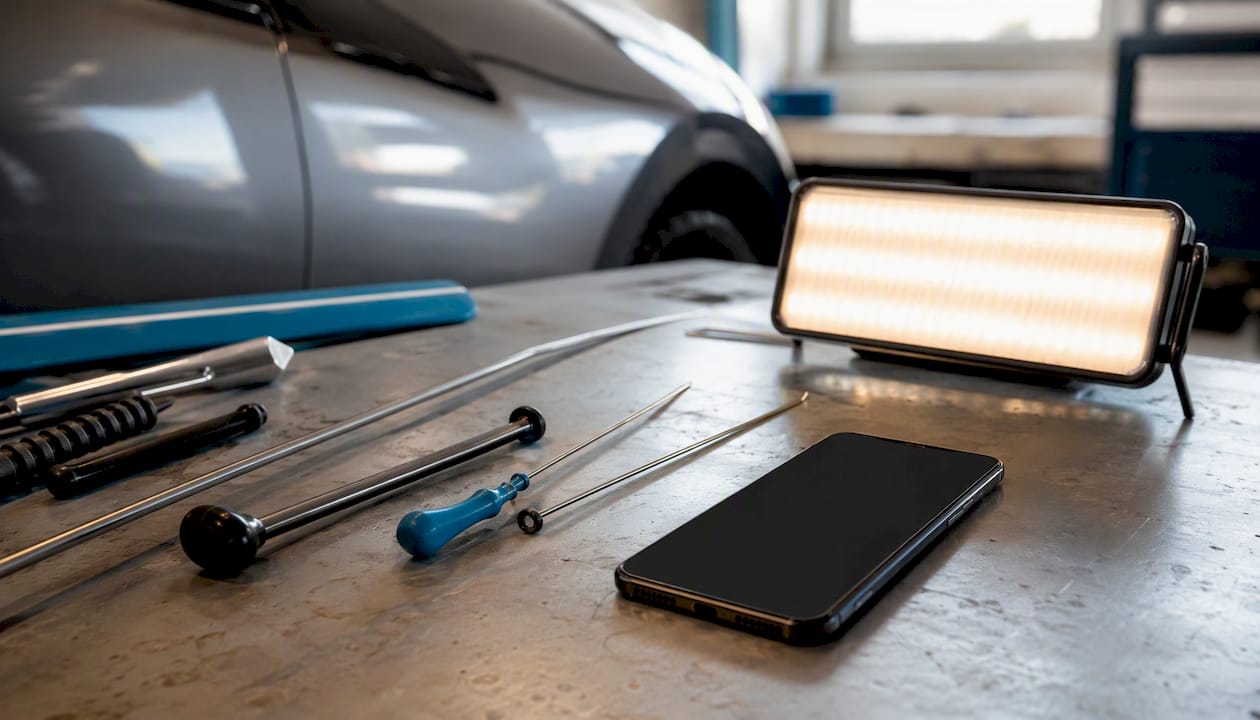
A customer sends photos of the dent or hail damage, the shop reviews them and builds an itemized estimate based on the visible damage and panel access needed, and the customer approves that estimate electronically before any pickup is scheduled. Once approved, the shop coordinates pickup, performs the repair, and returns the vehicle, all while the signed authorization stays attached to that job record from start to finish.
What should you specifically expect from a PDR shop's authorization process? A few things:
- Photo documentation of the dent attached directly to your job record, not just described in a phone call.
- A clear itemized breakdown separating labor from any parts needed (rare in true paintless repair, but relevant if a panel needs additional work).
- Warranty terms, including a lifetime warranty where offered, written directly into the authorization rather than mentioned verbally.
Before booking a contactless PDR job, ask specifically how the shop captures your approval and whether photos get attached to the estimate, since that documentation becomes your evidence if a dispute ever comes up about what damage was present before the repair started. You can read more about how contactless car repair workflows generally handle this kind of remote approval and pickup coordination.
Why Clear Authorization Records Protect Everyone
Clear, versioned authorization isn't paperwork for its own sake. It's the single fastest way to avoid the two most common repair disputes: "I never agreed to that" and "that's not what I was told it would cost." Every shop that builds its process around a solid digital record, rather than a verbal handshake, ends up settling disputes faster because there's simply less to argue about.
My honest read after digging into how this actually functions across the industry: oral authorization gets a bad reputation it doesn't fully deserve, but only when it's backed by nothing else. A recorded call followed by a text confirmation is fine. A recorded call with no follow-up at all is where things go wrong months later when nobody remembers the specifics.
If you take one thing from all of this, insist on a recorded approval every time, and get something concrete out of it: a job number, a signed or clicked estimate, a timestamp. Dent-boys builds its contactless estimate process around exactly this kind of documentation, pairing photo-backed estimates with free pickup and a lifetime warranty attached to the job record itself, which is the kind of customer-focused structure this whole article is arguing you should look for everywhere.
Get a Contactless Estimate Without the Guesswork
Dent-boys built its entire process around the exact protections this article just walked through. You get a photo-based estimate, a clear itemized scope attached to your job, free pickup and delivery, $0 deductible support when insurance is involved, and a lifetime warranty documented against your repair, all without setting foot in a shop.
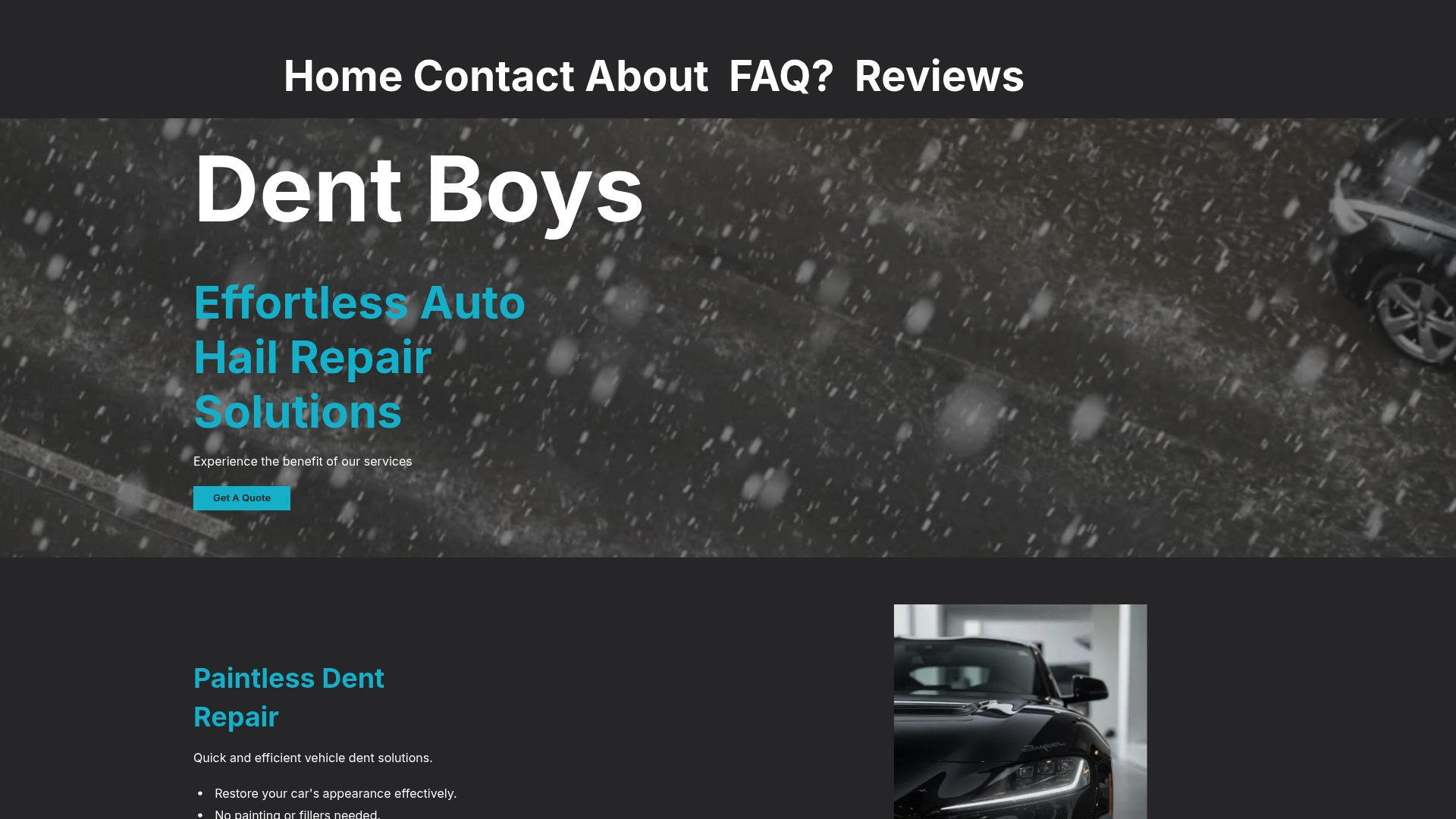
Before booking any contactless dent repair service, ask three questions: how do they capture your approval, do they attach photos to the job record, and what happens if they find more damage once the panel is accessible? A shop with a real answer to all three is one that follows the stop-work and reauthorization standards covered above. Dent-boys documents each of these steps as part of its normal paintless dent repair process, from the initial photo estimate through the final signed authorization.
If you're dealing with a dent or hail damage right now, request a free estimate through Dent Boys and see the itemized scope before you approve a single dollar of work.
Where to Verify This Yourself
A few resources are worth bookmarking if you want to dig deeper into any piece of this process.
| Source | What It Covers |
|---|---|
| AppMaster's guide to repair authorization apps | How digital systems capture estimate versions, timestamps, and stop-work triggers |
| DroidRooter's remote Android repair walkthrough | Device-level session mechanics, including ADB access and post-session cleanup |
| Fix My PC Store's remote session breakdown | Session lifecycle, encryption basics, and how to disconnect instantly |
| Fix Computer Remotely's step-by-step guide | The standard consumer-facing remote support workflow, start to finish |
| Computer Cures' verification tips | Red flags and independent verification steps for any unsolicited remote request |
Use these to sanity-check a shop's process against what's considered standard practice, whether the "shop" is fixing your car, your laptop, or your phone. The mechanics of consent and session security barely change across industries. What changes is whether the business you're dealing with actually follows them.
Frequently Asked Questions
Does remote repair authorization hold up the same as an in-person signature? Electronic authorization tied to a timestamp, a specific estimate version, and an explicit approval action generally holds up just as well as a wet signature, and often better because the record is harder to lose. The weak link is oral-only consent without any written or electronic follow-up.
Can a shop start extra work if I don't respond right away? No. The stop-work rule means a shop should pause and wait for your new authorization if costs or scope exceed what you originally approved, regardless of how long that takes.
What if I never received a copy of what I approved? Ask the shop immediately for the estimate version number, your approved amount, and a timestamp of your approval. A shop using a proper job record system should be able to produce this within minutes.
Is it safe to let a technician remotely access my vehicle's diagnostic system? It's generally safe as long as the session is attended, meaning you initiate or approve the connection and can end it instantly. Avoid giving out passwords verbally, and uninstall any temporary access software once the session wraps up.
How long should I keep my repair authorization records? Keep them for as long as any applicable warranty lasts, and longer if the repair involved an insurance claim or you plan to sell the vehicle. A signed authorization and final invoice together form your strongest proof if a dispute ever comes up.
This article is general information, not a substitute for advice from a qualified lawyer. Consult a qualified legal professional about your own circumstances before acting on anything here.
Sources
- Repair authorization app: get approval before work | AppMaster
- How Remote Android Repair Works — Step by Step Walkthrough
- Remote IT Support Session: How It Works & What to Expect | Fix My PC Store
- How Remote Computer Support Works – by Fix Computer Remotely | Step-by-Step Guide to Secure Remote Repairs
- Online IT Support & Remote Help | Computer Cures